Madinah Mushaf Online: Read the Quran Page by Page (604 Pages)
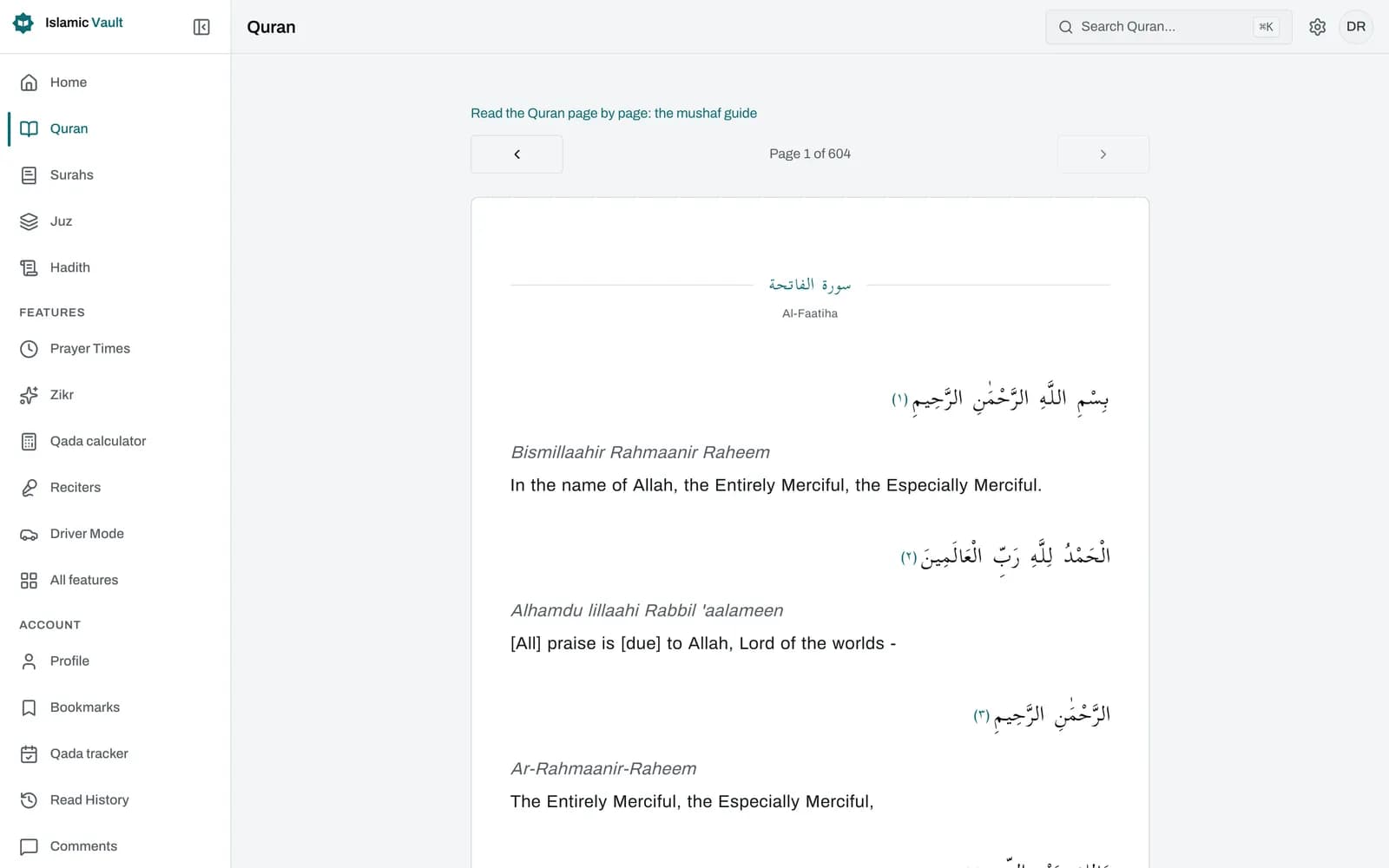
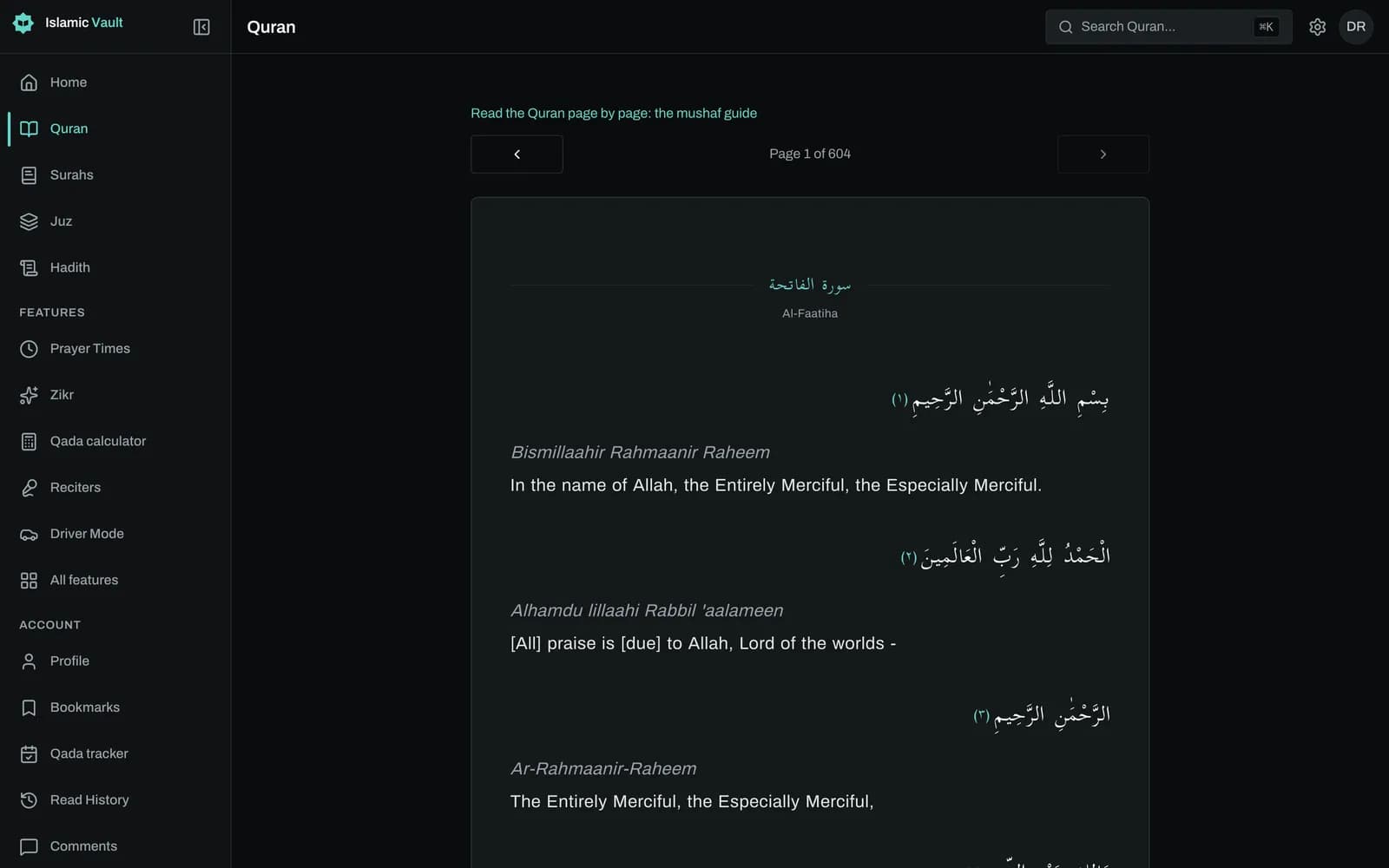
You can read the whole Quran here page by page, across the same 604 pages as the standard Madinah mushaf, so page 42 holds Ayat al-Kursi just as it does in a printed copy. Type any page number, swipe to turn pages, and tap an ayah to hear it recited. It is free and needs no account.
How it works
- 1
Open a page
Start at page 1 or open any page directly with a link such as /quran?page=42. The page loads with your chosen translation and reciter.
- 2
Turn pages
Use the arrows above and below the text, the left and right arrow keys, or a swipe on a phone or tablet. As in a printed mushaf, the left arrow moves forward.
- 3
Jump to a page number
Tap the "Page N / 604" label and type the page you want. It jumps as soon as the number can only mean one page.
- 4
Listen while you read
Tap any ayah to hear it recited, and tap again to pause. Use next and previous in the audio bar to move through the page, or switch on auto-advance to keep it playing.
What is the 604-page Madinah mushaf layout?
The Madinah mushaf divides the Quran into 604 pages, and that page numbering has become the common reference for many readers and memorisers. Our reader uses exactly those page divisions: the same ayahs sit on each of the 604 pages, from Al-Fatihah on page 1 to the last three surahs on page 604.
Because the page boundaries are shared, a page number works as an address. Page 2 opens Al-Baqarah, page 42 holds Ayat al-Kursi (2:255), and page 582 begins Juz 30 with Surah An-Naba. The juz fall at regular intervals of roughly twenty pages, which is why many people who memorise the Quran (huffaz) plan their revision in pages: a fixed number of pages a day.
We want to be clear about one difference. This is not a scan or a glyph-for-glyph copy of a printed mushaf. The text flows as justified Arabic in the Hasenat font, so line breaks do not match a printed page, and we do not reproduce the fifteen-line look or the Uthmani print script. What matches is which ayahs are on which page.
How is reading by page different from reading by surah?
Reading by page gives you a fixed portion of about the same length every time, while reading by surah follows the chapters, which vary greatly in length. Page reading suits a daily routine or hifz revision. Surah reading suits study, sharing a single ayah and saving bookmarks.
On a mushaf page, surahs simply begin where they fall. A new surah opens with a line, its name in Arabic and English, and a basmala line (except for Al-Fatihah and At-Tawbah). The footer of each page shows the page number and the surah names on it, so you always know where you are.
With translation and transliteration switched off, the page shows continuous Arabic with numbered ayah markers, closest to reading from a printed copy. Switch either on and it appears under each ayah, using the same editions as the surah reader (by default Saheeh International and English transliteration). Font size has six steps.
Some things live only in the surah reader: bookmarking an ayah and marking ayahs as read. The mushaf page has no page bookmark or reading progress of its own.
Can I listen to the recitation of a whole page?
Yes, ayah by ayah. Tap any ayah to hear it recited; the ayah being recited gets a teal edge and a "Now reciting" label. Use next and previous in the audio bar to move through the page, or switch on auto-advance there to keep playing through the page.
If you switch on auto-advance in the audio bar (it is off by default), playback carries on past the last ayah and the reader turns to the next page by itself. That is useful for listening through a juz while you follow the text.
You can choose any of the 14 reciters in Settings; the default is Abdul Basit. Audio is streamed per ayah rather than as one file per page, and the audio bar lets you set speed from 0.5x to 2x, seek and adjust volume.
How do I find my place in the mushaf?
Go by page number. Tap the page label and type the number, or open a link such as /quran?page=42 directly, which also makes it easy to share a page. If you remember the juz instead, use its start page: Juz 30, for example, begins on page 582.
There is no juz, surah or hizb menu on the mushaf page itself, so the page number is the way in. To browse by juz, use the separate juz pages; to start from a surah, use the surah list.
Some useful addresses: page 1 (Al-Fatihah), page 2 (start of Al-Baqarah), page 42 (Ayat al-Kursi, 2:255), page 582 (An-Naba, start of Juz 30) and page 604 (Al-Ikhlas, Al-Falaq and An-Nas).
Sources and method
- Quran, Surah Al-Baqarah 2:255 (Ayat al-Kursi), on mushaf page 42
- Islamic Vault juz index (30 juz with their start pages)
- Per-ayah recitation audio from the Islamic Network CDN (cdn.islamic.network)
Frequently asked questions
How many pages are in the Quran?
The widely used Madinah mushaf has 604 pages, and that is the page numbering this reader follows. Other printed editions, such as the IndoPak copies common in South Asia, have a different number of pages, so page numbers only match between copies of the same layout.
Where can I read the Madinah Mushaf online?
You can read it here for free, page by page, with no account. Our reader uses the 604 Madinah page divisions with the Arabic text set in a web font, so the ayahs on each page match a printed copy while the line breaks do not.
How do I jump to a specific page of the Quran?
Tap the "Page N / 604" label and type the page number; it jumps as soon as the number is unambiguous. You can also open a link like /quran?page=300 directly, which is handy for sharing a page with someone.
Which page does each juz start on?
In the Madinah layout the juz start on pages 1, 22, 42, 62, 82, 102, 121, 142, 162, 182, 201, 222, 242, 262, 282, 302, 322, 342, 362, 382, 402, 422, 442, 462, 482, 502, 522, 542, 562 and 582. Type the start page to go straight to a juz.
What is the difference between the Madinah mushaf and the IndoPak mushaf?
They differ in script style and page layout, so their page numbers do not line up. This reader follows the 604-page Madinah divisions only; an IndoPak page layout is not available. If you memorised from an IndoPak copy, use surah and ayah numbers to find your place.
Can I read the Quran page by page on my phone?
Yes. The mushaf works in your phone's browser: swipe left for the next page and right for the previous one, and tap an ayah to hear it. It needs a connection, as there is no offline mode.
Does the online mushaf have tajweed colours or tafsir?
No. The page shows vowelled Arabic with optional translation and transliteration, but no tajweed colour coding, word-by-word meanings or tafsir. For translations side by side with the Arabic, the surah reader offers the same editions in a verse-by-verse view.
Related features
Read all 114 surahs of the Quran online in Arabic with English translation and transliteration. Choose from 50+ translations in 30+ languages, free.
Listen to Quran recitation by reciter, free: Abdul Basit, Alafasy, Husary, As-Sudais, Maher Al Muaiqly and more, ayah by ayah, with the Arabic text on screen.
Memorize the Quran by listening: pick a surah and ayah range, repeat each ayah up to 20 times and listen hands-free with large controls. Free, no sign-up.
Keep your progress in one place
Create a free account to save your progress and pick up where you left off. Or start exploring now, no account needed.