Quran Bookmarks: Save Ayahs and Organize Them in Folders
Save any ayah or a whole surah with one tap, and keep it in a folder you name yourself, such as Patience, Du'a or Verses for Ramadan. Your bookmarks belong to your free Islamic Vault account, so the verses you save on the web are there again in the iOS and Android app.
How it works
- 1
Sign in
Bookmarks are saved to your account, so create a free account or sign in first. Without one, the bookmark button stays greyed out and nothing is stored.
- 2
Open a surah
Read any surah in the Quran reader. Each ayah has a bookmark icon in its toolbar, and the surah header has one for the whole surah.
- 3
Pick or create a folder
Tap the icon and choose one of your folders, or choose New folder, type a name and the ayah is saved into it in the same step.
- 4
Come back to it
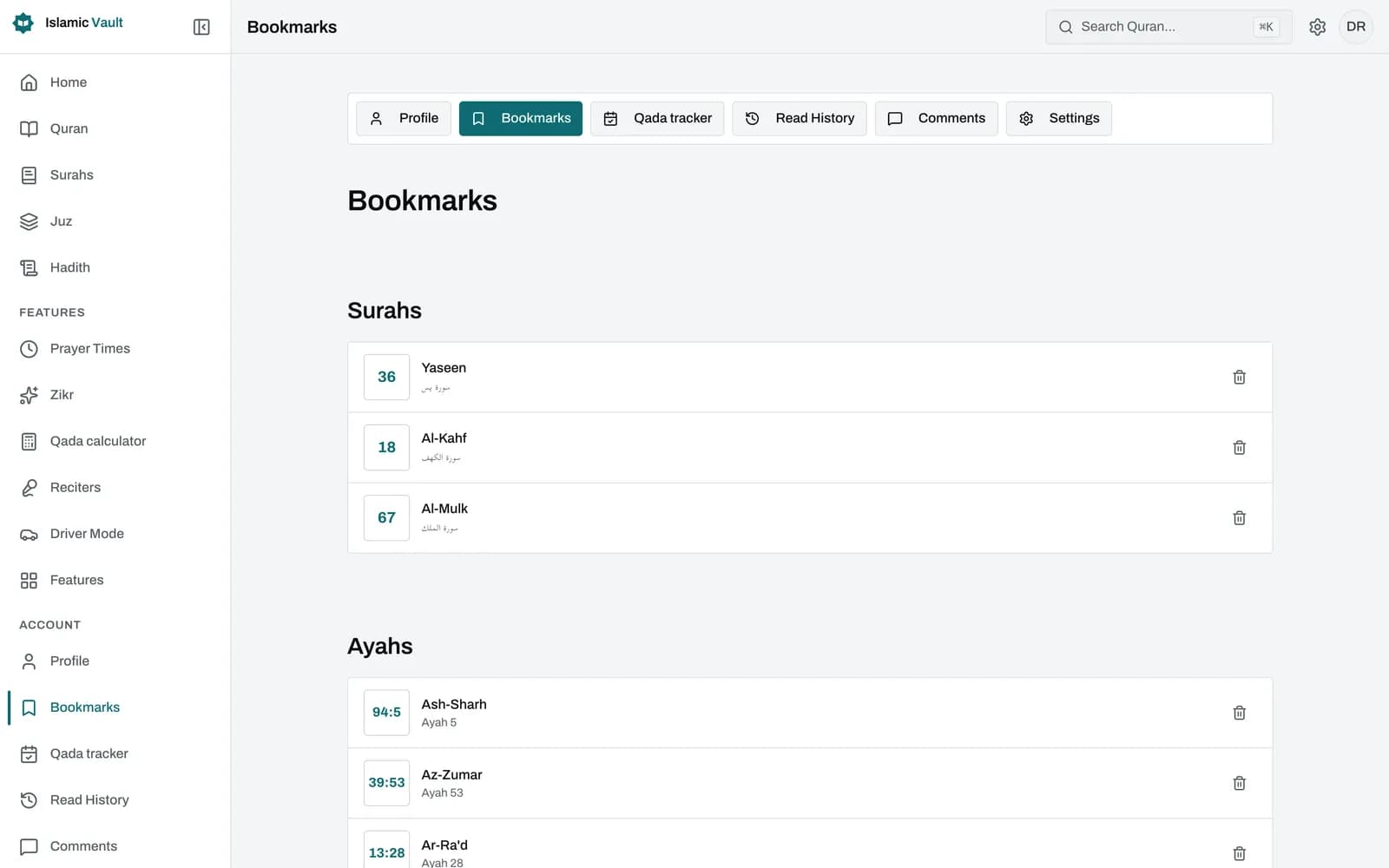
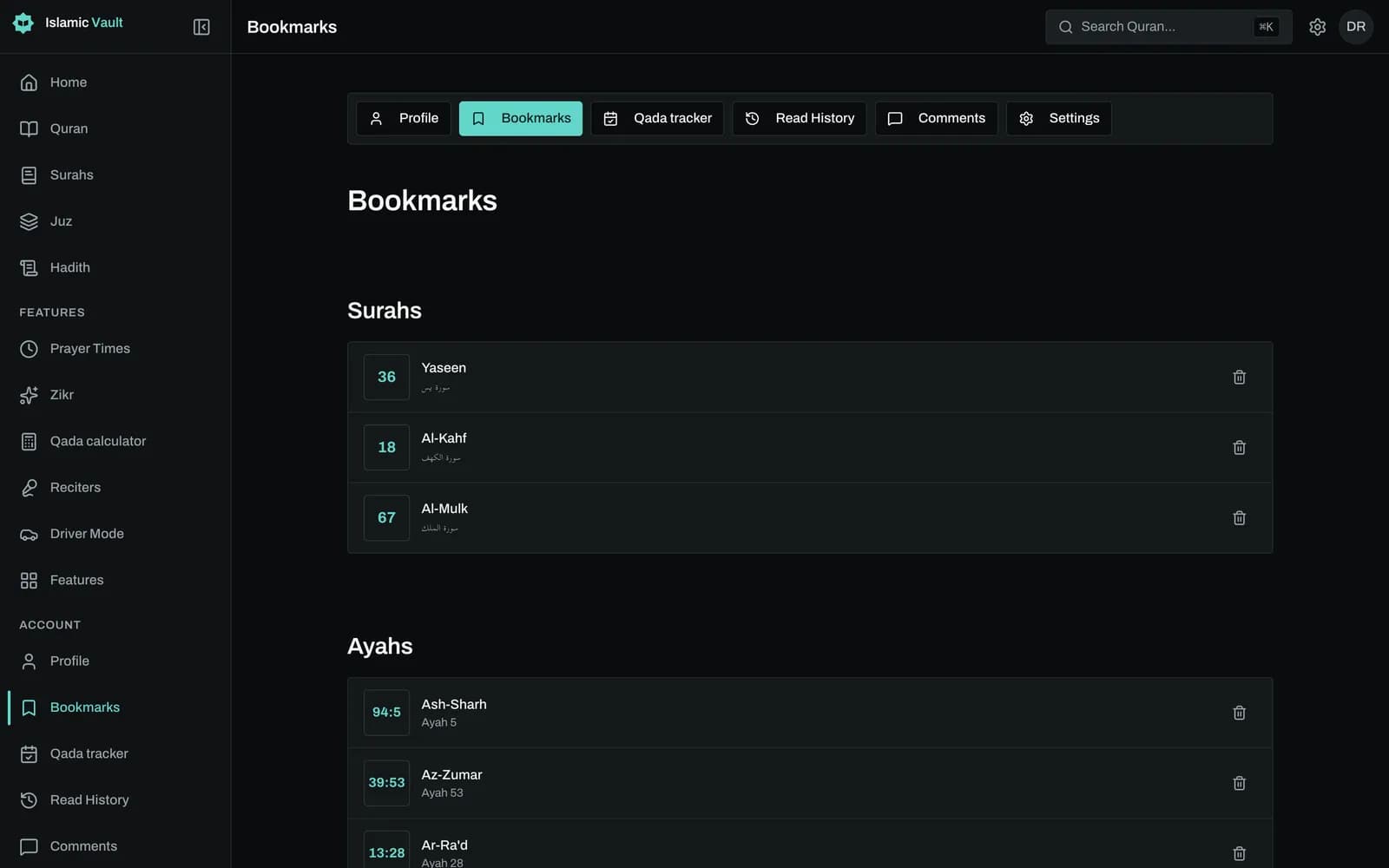
Open My bookmarks from your account to see every saved surah and ayah. Each row takes you straight back to that place in the reader.
How do I bookmark an ayah in the Quran online?
Open the surah, tap the bookmark icon in the ayah's toolbar and pick a folder. The icon turns into a filled check, which tells you the ayah is saved. Tap it again to remove the bookmark. To save a whole surah instead, use the bookmark button in the surah header.
On the web, the folder menu lists every folder you have made. If you have none yet, it says "No folders yet": choose New folder, give it a name, and the folder is created with your ayah already inside it.
In the iOS and Android app the bookmark toggle is quicker still: if you have no folders, the app creates a default one for you and saves the ayah there. Either way, you need to be signed in, because bookmarks are stored with your account rather than on one device.
How can I organize saved ayahs into folders by topic?
Make one folder per theme you are studying and save each ayah into the folder it fits. A folder called Patience, for example, could hold 2:153 and 39:10. Each ayah lives in exactly one folder, so if a verse could fit two themes, choose the one you will look for first.
Both of those ayahs speak about sabr. In 2:153 the believers are told to "seek help through patience and prayer. Indeed, Allah is with the patient" (Saheeh International). In 39:10, "the patient will be given their reward without account" (Saheeh International). Saved side by side, they make a small study set you can return to when you need it.
You can rename or delete folders in the mobile app, on the Folders screen, with a confirmation before anything is deleted. Deleting a folder also deletes the bookmarks inside it. The website lets you create folders but does not yet have a screen to rename or delete them.
What is the difference between a bookmark and reading progress?
A bookmark is a verse you choose to keep. It stays exactly where you put it until you remove it, however far you read afterwards. Reading progress is a separate feature that follows where you are in the Quran, so the two work well together: one marks your place, the other your favorites.
Think of bookmarks as a collection rather than a place marker. You might be reading Surah Al-Kahf this week while your Patience folder still holds ayahs from Al-Baqarah and Az-Zumar. Neither moves when you keep reading.
Bookmarks are deliberately simple: a saved ayah or surah inside a folder. You cannot add notes, highlights, colours or tags to a bookmark, and there are no bookmarks for a mushaf page number. If you keep reflections on a verse, write them elsewhere and use the bookmark to find the ayah again.
How do I find my saved ayahs again on another device?
Sign in with the same account and open My bookmarks. The website and the mobile app read the same bookmarks and folders, so an ayah you save on your phone appears on your computer, and the reverse. Updates show after the page or list refreshes, not instantly.
On the web, My bookmarks shows two lists, Surahs and Ayahs, newest first. Each row links straight to the surah or to that exact ayah in the reader. The web list is not grouped by folder and has no search yet; the mobile app has its own bookmarks list and the folder screen.
To remove a bookmark, open the ayah or surah and tap the filled check icon. That removes it everywhere you are signed in. Bookmarks cannot be shared or exported, and folders cannot be reordered.
Sources and method
Frequently asked questions
How do I bookmark a verse in the Quran online?
Sign in, open the surah and tap the bookmark icon on the ayah. Choose a folder, or create one with New folder. The icon turns into a filled check once the verse is saved.
Can I organize saved ayahs into folders or collections?
Yes. Every bookmark is saved into a folder you name, such as Patience or Du'a. An ayah can be in one folder at a time. Folders are created on the web or in the app, and renamed or deleted in the mobile app.
Do my Quran bookmarks sync between my phone and computer?
Yes, through your account. The website and the iOS and Android app share the same bookmarks and folders, so a verse saved on one appears on the other after a refresh. Sync is not instant, and there is no offline saving.
How do I save my favorite ayahs to read later?
Bookmark each one into a folder, for example Favorites. Later, open My bookmarks from your account and tap any row to jump straight to that ayah in the reader.
Can I add personal notes to a bookmarked verse?
No. A bookmark saves the ayah or surah and its folder, nothing more: there are no notes, highlights, colours or tags. Using a folder name as a topic is the closest way to label what you saved.
Can I save the same verse in two folders?
No. Each ayah or surah can be saved once, in a single folder. Trying to save the same verse again in a second folder will not create a copy.
Can I bookmark the Quran without an account?
No. You can read every surah without signing in, but the bookmark button stays disabled until you log in, because bookmarks are stored with your account. Creating an account is free.
Related features
Read all 114 surahs of the Quran online in Arabic with English translation and transliteration. Choose from 50+ translations in 30+ languages, free.
Mark every ayah and surah you read, see your percentage and streak, and track your khatam. Free Quran reading tracker on web, iOS and Android in 13 languages.
Memorize the Quran by listening: pick a surah and ayah range, repeat each ayah up to 20 times and listen hands-free with large controls. Free, no sign-up.
Keep your progress in one place
Create a free account to save your progress and pick up where you left off. Or start exploring now, no account needed.