Quran Khatam Tracker: See How Far You Have Read, Ayah by Ayah
A khatam is easier to finish when you can see how far you have come. Mark each ayah or a whole surah as read, and Islamic Vault keeps your percentage of the Quran, a daily streak and a dated reading history. Your progress follows your account on the web and in the mobile app.
How it works
- 1
Sign in and open a surah
Create a free account and open any surah. Without an account you can read freely, but the progress buttons stay disabled.
- 2
Mark what you have read
Tap the check button on an ayah, or use Mark as read in the surah header to record the whole surah in one step. Tap again to undo.
- 3
Watch your progress add up
Read verses get a green check, surah cards show how many ayahs you have read, and your profile shows ayahs read, percent complete and your day streak.
- 4
Look back in your history
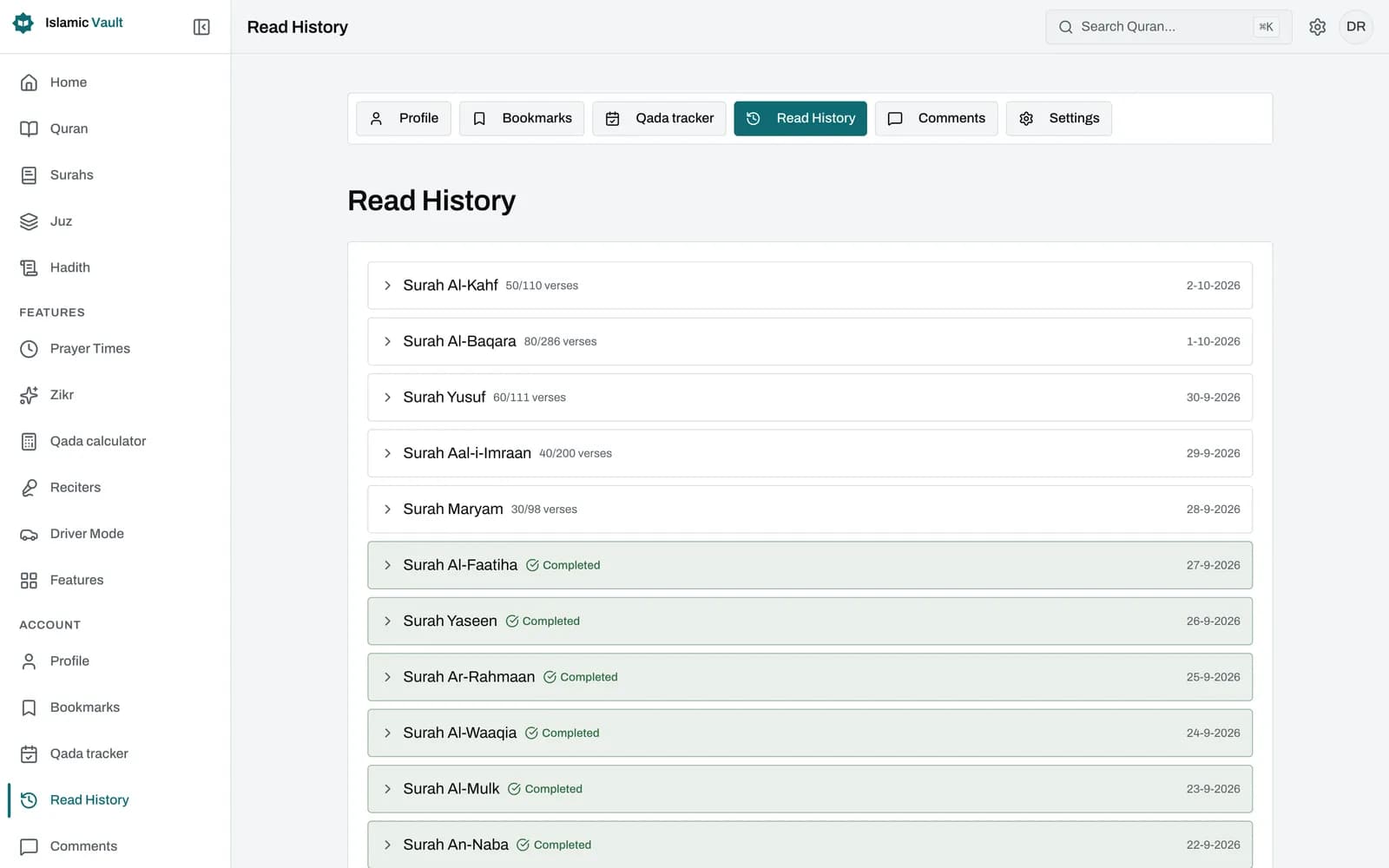
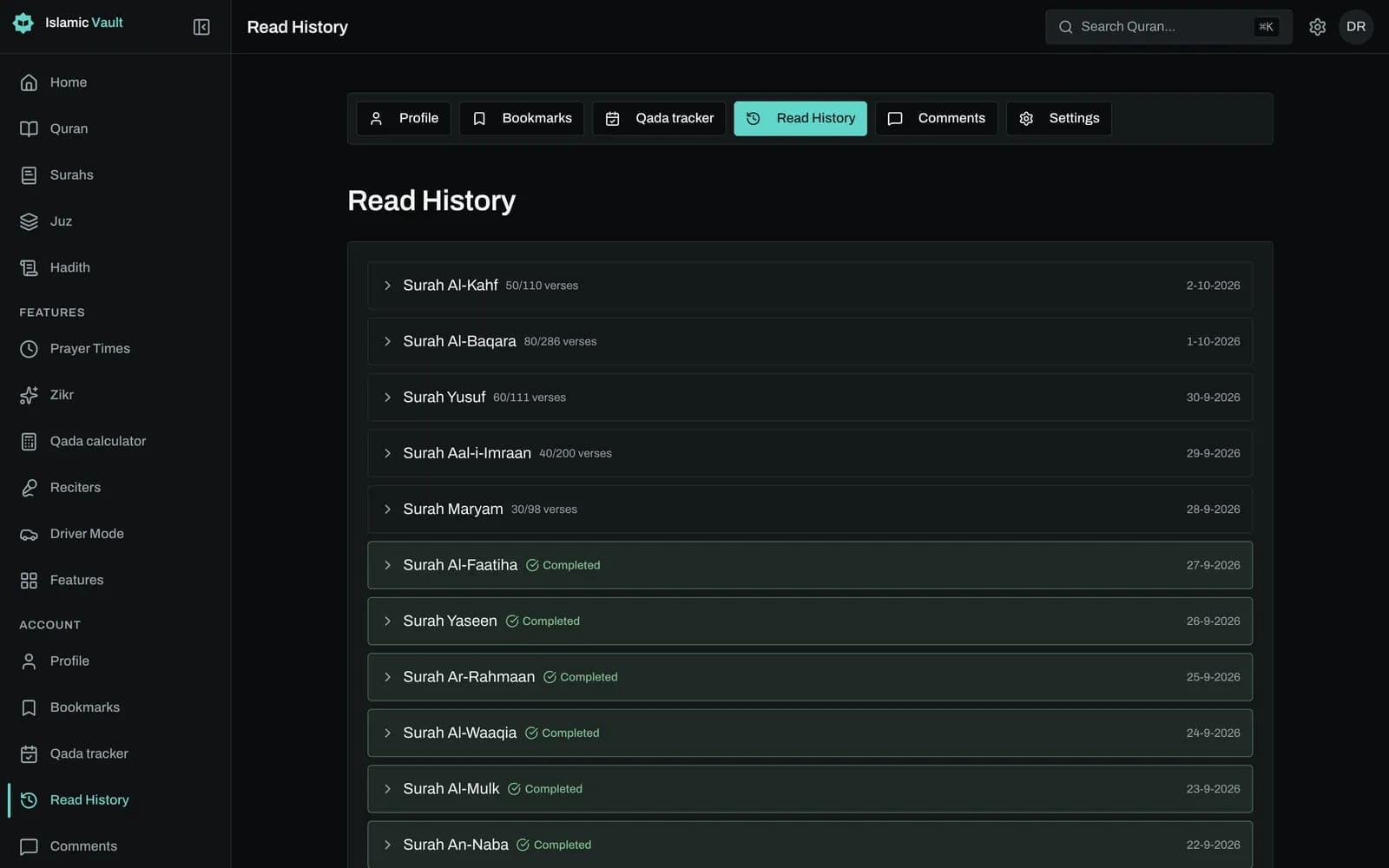
Your reading history lists the 50 surahs you have read from most recently, newest first, with the date and a link back to each marked ayah.
What is a khatam of the Quran?
A khatam (also spelled khatm, khatmah or hatim) means reading the whole Quran from beginning to end, all 114 surahs and 6,236 ayahs. Many Muslims aim for one khatam during Ramadan, while others keep a slower, steady pace all year. There is no single required timeframe, so choose a pace you can keep.
Because a khatam can take weeks or months, it is easy to lose track of where you are, especially if you read from more than one Mushaf, app or device. A tracker gives you a simple record: what you have finished, what is left and how consistent you have been.
Islamic Vault tracks progress at the level of ayahs and surahs. It does not track juz (para) or Mushaf page numbers, so if you follow a juz-based plan you can still record it by marking the surahs and ayahs that make up each portion.
How do I finish the Quran in 30 days?
To finish the Quran in 30 days, divide it into thirty equal daily portions and read one every day. The most common ways are one juz a day, about 20 pages of a standard 604-page Mushaf a day, or about 208 ayahs a day. These are examples, not fixed rules.
Example plans for a 30-day khatam: 30 juz over 30 days is one juz each day, the classic Ramadan approach. A 604-page Mushaf over 30 days works out to just over 20 pages a day, often split as four pages after each of the five daily prayers. 6,236 ayahs over 30 days is about 208 ayahs a day.
For a slower pace, the same arithmetic scales: a 60-day plan is half a juz or about 10 pages a day, and reading about 2 pages a day finishes the Quran in under a year. Islamic Vault does not set daily targets or reminders for you, so pick a plan, then use the tracker to confirm you are keeping up with it.
How does marking progress work in Islamic Vault?
You mark progress yourself. Each ayah has a check button: tap it once to mark the ayah as read and tap again to unmark it. To record a whole surah, use Mark as read in the surah header. Listening to audio or scrolling past a verse never marks anything automatically.
When a surah is partly read, its header button shows your count, for example "Mark as read (12/40)". Once every ayah is marked, the button reads Completed, and tapping it again unmarks the whole surah. Read verses carry a green check on the verse number, and surah cards across the list show how many ayahs you have read in each.
Your profile gathers the totals: ayahs read, percent of the Quran completed (out of 6,236 ayahs) and your current day streak. The streak grows by one for each consecutive day you mark at least one ayah and resets after a missed day. It uses the server's calendar day, not your local timezone, and has no grace day.
Progress belongs to your account, so ayahs marked on the website appear in the Islamic Vault mobile app the next time it loads, and the reverse. Read ayahs, surah counts, history, streak and percentage all sync this way.
Can I continue reading where I left off?
Yes, in two ways. The Continue reading card on the home page opens the unfinished surah where you have read the most ayahs. The Continue reading link in the sidebar jumps to the exact ayah you last marked, but that position is saved only in the browser you used.
The home page card shows a progress bar for that surah and opens it at the top, so it is best thought of as "your biggest unfinished surah" rather than "the last thing you read". The sidebar link remembers the last ayah you marked as read on that device, so it works after you have marked at least one ayah there.
On the mobile app the Continue card also uses a position stored on the phone. On a fresh install it falls back to the surah you most recently read on your account and opens it at the first ayah. In short: your progress syncs between devices, but the exact ayah you stopped at does not.
Where can I see my Quran reading history?
Your reading history is on your profile under History. It lists up to 50 surahs you have read from, newest activity first, with the date you last read each one and either a verse count such as 18/286 or a green Completed badge for surahs you have fully read.
Expand any surah to see the individual ayahs you marked, each with its date and a link straight back to that verse. If you mark an ayah again later, its date updates, so the history always shows the most recent time you marked it.
Your progress is private by default. If you choose to make your public profile visible, you can decide whether it shows your streaks and list of surahs. History cannot be exported at the moment.
How can I stay consistent with my Quran reading?
Consistency usually comes from a small, fixed daily portion rather than long sessions now and then. Choose an amount you can read even on a busy day, tie it to a daily routine such as after Fajr, and mark it as read so your streak and percentage show steady progress.
If you fall behind, it is often kinder to adjust the plan than to give up on it: stretch a 30-day khatam to 40 or 60 days, or carry on from where you are. A reset streak is only a number. The ayahs you have read stay counted in your total.
Questions about how often one should complete the Quran, or how to read it during menstruation or travel, are matters for a qualified scholar. This page offers general guidance, not a fatwa.
Sources and method
Frequently asked questions
How do I finish the Quran in 30 days?
Read one juz a day, about 20 pages of a 604-page Mushaf, or about 208 ayahs a day. Mark what you read in Islamic Vault so your percentage and streak show whether you are on pace.
How many pages should I read per day to complete the Quran in a month?
With a standard 604-page Mushaf, about 20 pages a day finishes it in 30 days. Four pages after each of the five daily prayers is a common way to split it. Islamic Vault tracks ayahs and surahs rather than page numbers.
How can I track my Quran reading progress?
Create a free Islamic Vault account, then tap the check button on each ayah you read or mark a whole surah at once. Your profile shows ayahs read, percent complete and your streak, and your history lists your 50 most recent surahs by date, with the marked ayahs inside each one.
Can I resume reading from where I left off on another device?
Your progress (read ayahs, surah counts, history and streak) syncs through your account. The exact last ayah is stored only on each device, so on a new device the app opens your most recently read surah at its first ayah.
What is a khatam and how long should it take?
A khatam is a complete reading of the Quran from start to finish. Many people aim for one in Ramadan, others take months. There is no single required timeframe, so pick a pace you can sustain and ask a scholar if you want specific guidance.
How do I make a Quran reading plan for Ramadan?
Divide the Quran by the days of the month: one juz a day completes it in 30 days. Islamic Vault does not create plans or send reminders, so choose your daily portion and mark it as read each day to keep track.
Does listening to a recitation count as read?
No. Tracking is manual, so playing audio or scrolling does not mark anything. Tap the check button on an ayah, or Mark as read on a surah, when you want it recorded.
Related features
Read all 114 surahs of the Quran online in Arabic with English translation and transliteration. Choose from 50+ translations in 30+ languages, free.
Bookmark any ayah or whole surah, sort your favorite verses into your own folders and open them again on the web and in the Islamic Vault mobile app.
Memorize the Quran by listening: pick a surah and ayah range, repeat each ayah up to 20 times and listen hands-free with large controls. Free, no sign-up.
Keep your progress in one place
Create a free account to save your progress and pick up where you left off. Or start exploring now, no account needed.